What Is Your Audience Looking for on Your Website?
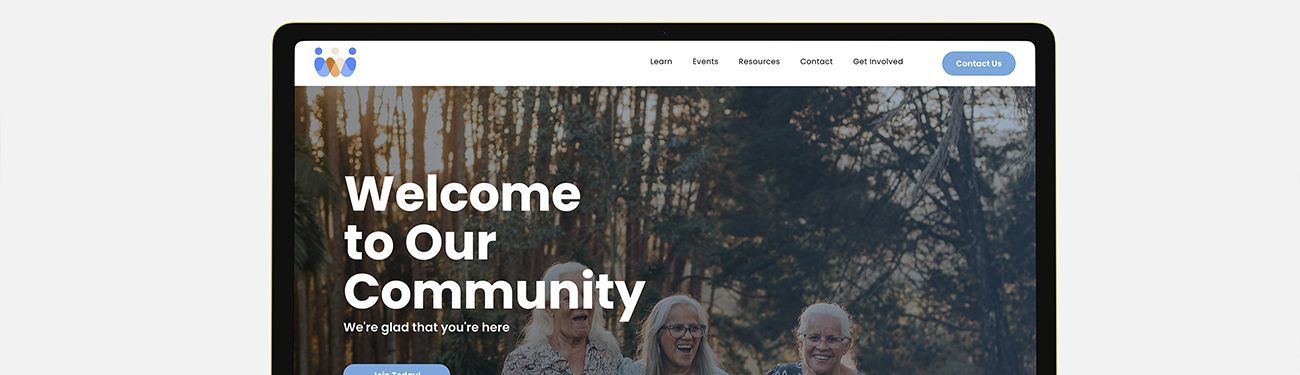
The old saying is true: You only have one shot at making a first impression! When it comes to your organization’s website, you need to impress visitors quickly, too. New viewers form impressions in seconds, so clarity, credibility, and ease of use must be front and center when it comes to your design. If you don’t grab a viewer’s attention, they’ll click away from your page and go on to the next.
In broad terms, your audience generally wants three things: to quickly understand what your site offers, to find what they came for with minimal friction, and to feel confident that your site is trustworthy and relevant to their needs.
Achieving those goals requires a balance of clear messaging, intuitive navigation, useful content, and cues that build trust. We’ll show you how to accomplish these goals.
Tips for Establishing Key Home Page Content Priorities
To capture a visitor’s attention right off the bat, organizations must not overwhelm them with too much information at once. The homepage must be organized into a clear system that is both predictable and easy to navigate. Consider these homepage content priorities:
- Strong value proposition: Convey exactly what you do and who you do it for in one line or a short headline and subhead combination.
- Fast, accessible navigation: Top-level navigation should have logical, limited choices. Make primary actions and sections visible and reachable within a couple of clicks.
- Clear visual hierarchy: Use headings, contrasting elements, and white space so users can scan and prioritize information without feeling overwhelmed. LPi designers have helped thousands of organizations achieve this if you need help with it!
- Primary call to action (CTA): A clear next step (buy, contact, sign up, learn more) should be prominent — not only on the homepage but on each page of your website. Consider what each page’s purpose is and then create that page’s call to action.
- Contact and trust signals: Add contact details, social proof (testimonials and reviews), and security badges where relevant. Don’t underestimate the power of a good testimonial to help build trust!
- Relevance for search intent: Make sure content and navigation match likely visitor goals (gather information, purchase, contact). Mastering the basics of search engine optimization (SEO) will help a lot with this!
- Performance and mobile optimization: Ensure pages load quickly and the design is responsive for mobile-first users. Remember, most people are using their phones to access your website these days!
- Fresh, accurate content: Up-to-date offers, news, or featured content show the site is active. Even simply removing outdated content from past events goes a long way toward keeping up your professionalism online.
- Accessibility: Provide support for screen readers and keyboard navigation, add alt text, and use colors that contrast clearly.
- Visuals that support content: Include photos/illustrations and other visuals that reinforce messaging without slowing the site. If you use a website builder like WeConnect to keep your site updated, you will have access to an incredible library of stock images and content to make this part simple!
- Search box: This is especially important if your organization’s website has multiple pages, activities, or products. It can also tell you a lot about what people are searching for, specifically when visiting your homepage, and help inform what you decide to include on it.
- Social buttons: If you use social media to connect with your audience, make sure the links to the platforms you use are easily visible. Most sites include their social media icons or buttons at either the bottom of their homepage or in their main menu.
- Footer: The website footer space should be well-organized and include necessities such as legal links, privacy, terms, contact information, and a site map. Don’t leave your visitors hanging.
How Different Audiences Change Home Page Priorities
Different visitor groups come with varied goals, digital skills, and expectation timelines.
Tailoring the home page to their needs — through content, CTAs, and information architecture — improves conversions and satisfaction.
- Mobile-first users: This is an important consideration as research shows 60% of web traffic originates from mobile devices. Speed, single-handed navigation, and concise content, along with large, tappable buttons and minimal text above the fold, are essential. (Keep in mind, however, that people still use desktop for deeper dives into topics and spend more time on your website when they do.)
- First-time visitors / general public: This group wants and needs quick orientation, trust building, and low-commitment options. The “About” page is often popular with this group.
- Older adults / accessibility-focused users: Readability, clear contrast, and simple navigation top the list for these visitors. Larger text options help, as does a consistent layout from page to page. These tips can help you learn more about attracting and engaging senior visitors.
One additional resource that is super useful for enhancing your organization’s website is The Essential Guide to Creating a Community Website That Works. We created it to cover everything from brand identity on your website to the importance of regular updates — all packaged into an easy-to-understand free online resource.
Share
You might also like