The Essential Guide to Creating a Community Website That Works
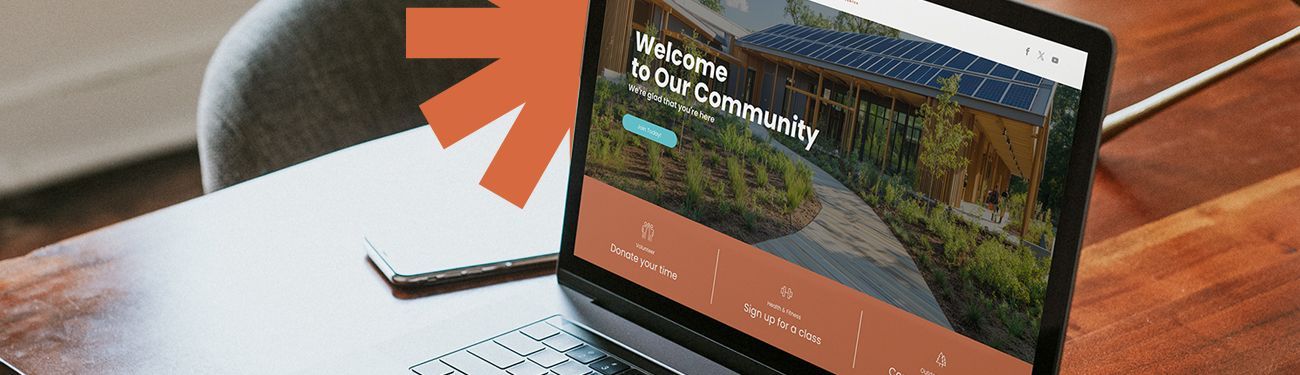
Welcome to our free guide for community website excellence! If you’re here, it’s likely you have an awesome organization that either needs a brand-new website to show it off or you’re in search of a good way to refresh your old site. At LPi, we’ve worked with over a thousand organizations nationwide to bring their visions to life online. As part of the process, we offer this free guide to help organizations get started with their website projects on a firm footing.
When you’re ready, feel free to reach out to our web design team or attend one of our free online demos to learn more about how our design services and our platform, WeConnect, can simplify the process. In the meantime, read on to enjoy the tips and best practices found here.
In This Guide:
Feel free to read on or simply jump to:
- The Importance of a Professional-Looking Website
- Why Audience Insights Should Guide Your Website Design Process
- How Your Logo & Brand Identity Shape Your Website
- Homepage Strategy 101
- Stay Relevant by Updating Your Website Regularly
- Yes, Your Organization Should Have a Blog — Here’s Why
- Make Your Website Work Smarter With Web Integrations
- Time and Money-Saving Tools for Your Website
- Accessibility is Important for Your Community Website
The Importance of a Professional-Looking Website
Whether your organization is a nonprofit, a municipality, or even a meetup group or club, your website is often the first impression people have of who you are and what you do. For this reason, your website should reflect your mission and act as an accessible, user-friendly, and professional-looking connection between your organization and the greater community.
Your organization’s website:
- Is your organization’s “online home.” It might be the very first impression someone has of who you are and what you offer. It serves as a reference point and can store information about you, making it easily accessible to those interested.
- Establishes lasting credibility. When your site is well-branded, functional, and regularly updated, it shows your community that you can be trusted. It signals professionalism and a commitment to the folks you serve.
- Provides identity and inclusion for existing members. An up-to-date website helps your members stay informed, involved, and in touch with your organization. Incorporating member stories, images, and highlights onto your website fosters even more of a feeling of belonging among your community.
- Provides answers for those seeking. Your thoughtful website will help guide those interested in learning more about what your organization is all about. Regardless of how people navigate to your website (whether from online searches, advertisements, or personal recommendations), your design and content will be there to draw them in!
- Simplifies communication and supports your mission. Advertise and promote events, partnerships, fundraising, news, updates, and more! Your website should echo your mission and extend your impact online. Your goal should be to make it simple for visitors to your site to find the resources and answers to questions they might be looking for.
This guide outlines key strategies to help you build and sustain a website that meets today’s goals and evolves alongside your community — adapting to change over time and serving your members well into the future.
Why Audience Insights Should Guide Your Website Design Process
Before you even get started, consider who you are building your website for. Who will be your primary audience? Your secondary audience? Are your main visitors going to be people who are already members of your organization, or is your website focused mainly on raising awareness for those who don’t know about you yet?
Each specific audience brings its own unique desires and expectations to your organization’s site, so it’s essential to consider their needs before diving into the specifics, such as fonts, layout, colors, and integrations.
Key demographics to consider:
When considering who your website’s audience might be, consider the following questions:
- Does your audience have a specific age range, gender, or lifestyle?
- Is your site primarily for people who are already members of your organization?
- Is your audience looking to buy something from you or sign up for something?
- Are you focusing on sharing information with people who don’t know about your organization or are hoping to learn more?
- Are you recruiting volunteers or donors?
- Could your audience have any disabilities that might impact your site’s accessibility design?
Search Engine Optimization & Your Audience
It’s also important to consider what people might be searching for online that would lead them to your site. Designing your website in a specific way to anticipate these searches is called search engine optimization (SEO).
Considering SEO in your design is important because many people who find your website through an internet search are likely looking for something specific, meaning they’ll likely scan your homepage to find that specific item first. It’s for this reason that you should brainstorm, ahead of time, what searches might bring people to your site and then make the corresponding information easy to find — right on your homepage. If a visitor scans your website and it’s difficult to navigate or to find what they were initially searching for, you may lose your opportunity to connect with them.
For a deeper dive into SEO for community websites, check our two-part series:
“Search Engine Optimization Basics” and
“Learn More About On-Page SEO.”
How Your Logo and Brand Identity Shape Your Website
The moment someone lands on your homepage, they’re already forming an opinion of your organization. That first impression matters, and the best way to positively influence it is by making your brand the guiding force behind your website’s look and feel. Your brand communicates who you are as an organization and what your priorities are. A consistent, intentional, and professional brand also goes a long way toward building trust between your organization and your community.
That’s right. Your logo and brand communicate how trustworthy you are. Good branding also helps your website feel familiar and accessible to your audience. Beyond the website, a solid brand also brings unity to your stationery, social media, newsletters, signage, and even the swag you have for your organization, like T-shirts and tote bags!
Don’t give in to temptation to skimp on the branding! Why? Because even the best-built websites will feel forgettable and cause a disconnect with your audience without a clear, cohesive brand. Your brand’s fonts, color palette, and tone should influence every aspect of your website design!
Get Help With Your Branding
If you don’t currently have a professional brand, or your logo and brand are in desperate need of an update, LPi has a friendly design team that offers those who use WeConnect for their website an option to work with them to redesign their brand. Our team collaborates with you to develop a comprehensive brand identity, encompassing a custom logo design and a brand guidebook for your reference. This ensures that you always have access to your specific font and color choices at your fingertips.
Homepage Strategy 101
The heart of your website is your homepage. This is usually the first page and the most critical one that you will design. It’s the first impression people get when they land on your organization’s site, and within moments, it will shape whether they decide to stick around or click away. The content and layout of your homepage play a major role in that choice.
Your perfect homepage combines professional design with beauty, function, and clarity. Visually, it should be easy to navigate, inviting, and clearly branded. Since this is your central “hub” online, it must be designed with both visitors and members, or folks already familiar with your organization, in mind.
Before you get working on your homepage design, be super sure that your plan covers the essentials. Here are a few key elements to consider. For a deeper look, check out this full blog post.
- Capture attention fast. You’ve only got a few seconds to make a strong first impression, so start your homepage with a clear, no-fluff headline and subheading that tells visitors exactly who you are.
- Guide the journey. Strategic calls to action are essential. Place two or three CTAs where visitors will see them immediately, and consider one or two more lower on the page to keep engagement going.
- Show your impact visually. Photos and short videos help guide emotional connection and trust. Keep them simple and quick to load so they enhance rather than slow down the user’s experience.
- Use space wisely. Don’t overlook areas like your footer or navigation menu! These are key places to include helpful details like contact info, newsletter sign-up, social media links, and credibility badges.
Don’t Reinvent the Wheel When it Comes to Your Homepage
Your homepage should reflect the personality of your organization, yes, but don’t be tempted to make it so incredibly unique that visitors get lost in the mix. Design standards and even trends have already “trained” internet users to look for certain types of things on a website. When those things aren’t present, or are delivered in a different way, people can get confused.
For example, navigation menus are normally found at the top of a homepage, while contact information is commonly found in the footer. Swaying too far away from standard website design practices can derail even the most interested visitor who already has an idea of where to look for specific items of interest based on their experience on most other websites. It’s best to stick to what works already and use features like your brand, your unique story, and images/video of your organization and community to help set you apart — not super-out-of-the-ordinary design.
Remember, an intentionally designed and easy-to-navigate homepage sets the tone for your whole website and helps visitors to your site feel at home right off the bat.
Stay Relevant by Updating Your Website Regularly
A strong website is a living resource that should evolve with your community’s needs and seasonal priorities. Regularly updating your content builds credibility, reinforces engagement, and shows that your organization is active and responsive.
One easy way to stay on track? Create a simple content calendar. Map out updates tied to your key events, seasonal initiatives, programming, and important milestones. This approach is proactive and ensures that your website stays relevant and aligned with your mission year-round. As a bonus, the content calendar you create for your website can also help inform your blog, newsletter, and even your social media!
Ongoing Website Updates to Consider:
Don’t forget to check for and regularly make the following updates:
- Upcoming Events & Programs
Keep your audience informed and engaged by promoting events, workshops, or any seasonal programs you have. Timely updates help boost attendance and show how active and organized you are. - Staff/Leadership Changes
Update staff biographies and contact information on a regular basis. A current team page helps build trust with visitors and ensures they know how to reach you. - Seasonal Messaging or Initiatives
Highlight seasonal campaigns, holidays, or mission-driven themes to reflect your organization's values throughout the year. Update your graphics with seasonal banners or images specific to your ongoing events. - News or Announcements
Use a blog or news section to share updates, milestones, and accomplishments. Blogs constantly keep your content fresh and can aid in helping your site rank in online searches! - Resources and Downloadable Content
Add or refresh downloadable guides, videos, or other helpful content. Updated resources demonstrate ongoing support for your community, and new offerings draw people in. - Testimonials and Impact Stories
Feature a steady stream of stories, or even simply quotes, from those impacted by your work. These humanize your mission and encourage further support and involvement while continuing to foster trust. - Volunteer or Support Opportunities
Make it easy for people to get involved by regularly updating any “call to action” messaging to reflect your organization’s current needs and/or opportunities. - Policy or Safety Updates
If you operate in-person services or events, keep health/safety protocols or organizational policies current. This shows professionalism and care, and also gives your staff a place to point to in case anyone has policy questions. - Photo Galleries or Video Highlights
Visual content draws people in. Update with recent photos from your events and programs to show that your organization has momentum! - Contact Info & Hours of Operation
This sounds basic, but the contact information section of a website is, more often than not, one of the most visited sections on a site. Make sure phone numbers, emails, office hours, or any other information about contacting/finding your organization are always up to date.
Utilizing a website builder with built-in features and automations that help you easily update your website is a game-changer for busy staff. LPi’s platform WeConnect even provides a built-in support system so that you have access to real people and designers to help you create the best website possible for your organization — and keep it updated!
Yes, Your Organization Should Have a Blog — Here’s Why:
Having a blog on your organization’s website is one of the smartest ways to grow your visibility, build trust, share your mission, and share a little bit of your organization’s personality with your audience.
Blogs Grow Your Online Visibility:
Search engines like Google prioritize websites that are updated frequently with relevant content. One great way to keep your website updated and relevant is by having a blog that gets new articles regularly. It’s true: every blog post you publish gives your website more opportunities to appear in internet search results! This is doubly true when you are specifically writing about topics people are already searching for that are relevant to your organization. This is the core of SEO (search engine optimization), and a blog helps you improve your SEO naturally, over time!
There are tools out there like Semrush and Mozto help you research SEO keywords and what people are searching for in your corner of the internet. These are popular options because they are affordable, accurate, and easy to learn for beginners. You’re going to be spending your time writing blogs anyway, right? So, why not spend just a tiny bit more time researching the best topics to write about that will drive traffic to your site and raise more awareness about your organization!
For example, if you happen to be running a senior center, you may find that people frequently search “senior centers near me,” “why belong to a senior center,” or “upcoming events for seniors in (your city).” Once you know exactly what people are searching for to find resources like yours online, you can craft a few blog posts around those searches! This way, when people search for those things, search engines like Google are more likely to show them your blog post, which then leads them to your website.
Blogs can drive a lot of traffic to your site with the potential to direct people to your website who never otherwise would have found it!
Blog articles also have the potential to position you as an ongoing resource for people looking for an organization like yours. Whether you’re offering tips, inspiration, or simply organizational news and updates, continually publishing to your blog helps your audience see you as an authority and more than merely a resource provider. This, in turn, helps build trust and shares your mission in new ways, reaching new people.
Blogs Can Drive Engagement Across Channels
Blog articles are a great foundation for a variety of types of content that can be used across digital and non-digital channels. One blog post can have multiple uses!
Repurpose your blog posts (where applicable) as:
- Newsletter updates (digital & printed)
- Social media posts
- Podcasts
- Short videos
- Downloadable guides
- Entries into resource libraries
- Use to outline presentations/webinars
- Infographics
- Case studies
- Training materials
Certain quality blog posts can be stretched a long way. In fact, we advise that it’s always a good idea to use your blog posts in multiple ways to reach the widest audience possible!
Even smarter,
plan your quarterly blog calendar around how you intend to repurpose your posts.
Make Your Website Work Smarter with Web Integrations
One of the easiest ways to keep your website up to date and working for you is by using web integrations (often also called widgets). These handy tools connect your website with the programs you already use, so you don’t have to enter the same information in multiple places. Post something once — like an event on your calendar or a photo on social media — and the integration automatically updates your site. The result? Fewer manual updates, less room for error, and a website that always feels current.
Integrations save you both a ton of time and make your website more interactive and engaging. With minimal upkeep, you can provide fresh, relevant content that shows your community you’re active and connected.
Some of the most valuable integrations for community organizations include:
- Event calendars that sync with your scheduling tools, ensuring community members never miss a program or gathering.
- Online forms for registrations, volunteer sign-ups, or feedback. This makes it easy for people to engage with your organization.
- Donation or payment platforms that allow for secure, recurring support.
- Photo galleries or news feeds that automatically pull in updates from your social media channels.
- Resource downloads or document libraries that provide quick access to important information like newsletters, program guides, and more.
With the right integrations, your website can become a dynamic hub for connection, participation, and support, but you need to use the right web design platform to make it happen! Make sure your platform integrates the tools you already rely on and doesn’t force you to depend on outside developers or complicated plugins. The goal is straightforward: help your website run more effectively with less effort. With WeConnect, you’re covered. Our built-in web integrations are used by organizations across the country, all while avoiding the overwhelm!
Time and Money Saving Tools for Your Website
Managing a website for your organization shouldn’t feel like a full-time, overwhelming project. With the right tools for content creation, you can keep your site engaging while saving time and reducing your stress. It doesn’t have to be stressful financially, either. By incorporating sponsorships or ads, your site can cover its own costs.
Digital Content Libraries Save LOTS of Time for Web Designers
Smart web designers understand that if they aren’t careful, they might end up spending all their time designing graphics for their website to update every event, blog post, and more. Instead, they use content libraries to save countless hours on design.
A digital content library is a ready-to-use collection of graphics, web banners, and other resources that help web designers quickly create professional, engaging websites without having to do all the work from scratch. Having access to a reliable content library also means your organization doesn’t have to have a professional graphic designer on staff or worry about things like copyright infringement. Whether you need seasonal designs for upcoming holidays or visuals to promote events, you can quickly find what you need if you use the right content library, so your website always looks polished and professional.
WeCreate is one example of a robust content library built for any organization. It includes thousands of graphics, puzzles, banners, infographics, and more. All of these are designed to save you time when it comes to your own design work. Fresh content is added every single month, too, so users always have new content to work with.
Organizations that partner with LPi and use WeConnect to build and maintain their websites automatically get a free subscription to the WeCreate content library!
If you’re just getting started, WeCreate also offers a free monthly collection of content to non-subscribers, so you can explore a sample of what the content library has to offer. It’s an easy way to see how much time and effort you can save by having pre-designed, professional-looking content at your fingertips, ready to simply drop right into your website design.
Sponsored Websites Pay for Themselves!
A “sponsored website” is a professional site for your organization that’s fully yours but also fully funded through a local business sponsorship. Instead of paying out of pocket for design, hosting, and support, your website costs are covered by an advertiser or supporter who cares about your mission and wants to connect with your community. It’s a win-win: your organization gets a high-quality online presence at no cost, and a local business will gain meaningful visibility in their community.
Platforms like WeConnect are designed to work with organizations like yours to match you with a sponsor to offset your costs — entirely! While some platforms achieve this with bold (and sometimes distracting!) ads all over the website, LPi’s approach is a single, elegant callout on the homepage that highlights their support. Find examples of how WeConnect highlights sponsorships in this brochure.
Ready to learn more about how sponsored sites work? Attend a free online WeConnect demo or get in touch with us to learn more today!
Accessibility is Important for Your Community Website
When we talk about website accessibility, we mean designing a site so that everyone — regardless of ability — can use it. Your site should be accessible to people with vision, hearing, or mobility challenges, as well as those who rely on assistive technology like screen readers. In fact, the Americans with Disabilities Act (ADA) encourages organizations to provide equal access to all digital spaces, not just physical ones. Accessibility also extends to making sure that your site works equally with mobile devices as it does on computer screens, ensuring your site is easy to access on phones and tablets, where many visitors will first connect with you.
By making your website accessible, you’re complying with best practices and showing your community that inclusivity matters. Plus, accessible websites tend to be easier to navigate for everyone and perform better with search engines — meaning visitors are more likely to find you, engage, and return.
Ways to make your website more accessible:
- Optimize for mobile – Ensure your site loads quickly and displays properly on phones and tablets. Every website should be easily accessible from mobile devices.
- Prioritize ease of use – Use clear menus, straightforward navigation, and consistent layouts. These web design basics are key!
- Use readable text and colors – Choose fonts, font sizes, and color contrasts that are easy for all eyes to process.
- Provide alt text for images – Add clear descriptions to photos and graphics so screen readers can communicate them to visually impaired visitors.
The website platform you choose to build and maintain your site should make all of the above easy for you. When you work with LPi, our design team builds accessibility in from the start. WeConnect’s accessibility and mobile optimization features are easy to use on your own, too, so that you can keep any new pages or updates you create accessible.
Congratulations! You’re on Your Way to the Best Website for Your Organization!
You’re one step closer toward making a website for your organization that perfectly reflects your mission! We hope this guide has been a good starting point to inspire new ideas, refine what’s already working, and shape the online presence your organization deserves. When you’re ready for extra support, LPi is ready to partner with you to bring your vision to life!
----------
Want more inspiration? Head over to the
“Web & Social Media”section of our blog for practical strategies and expert tips to strengthen your online presence.
Updated 03-05-2026
Share
You might also like