How to Install the Digital Newsletter
How to Install the Digital Newsletter on Your Website
1.
Login to
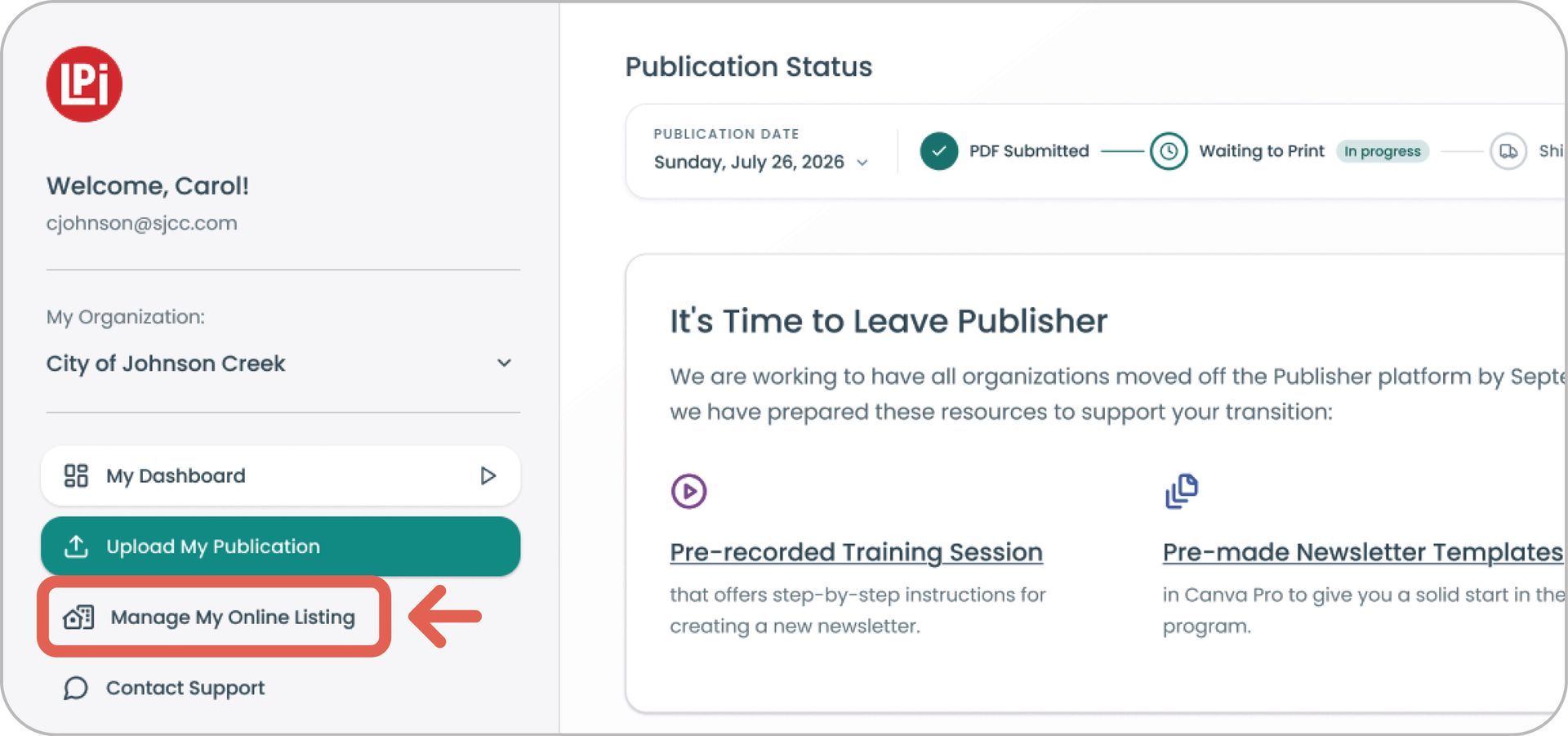
MyLPiDashboard.com and click
Manage My Online Listing on the left-side navigation.
2.
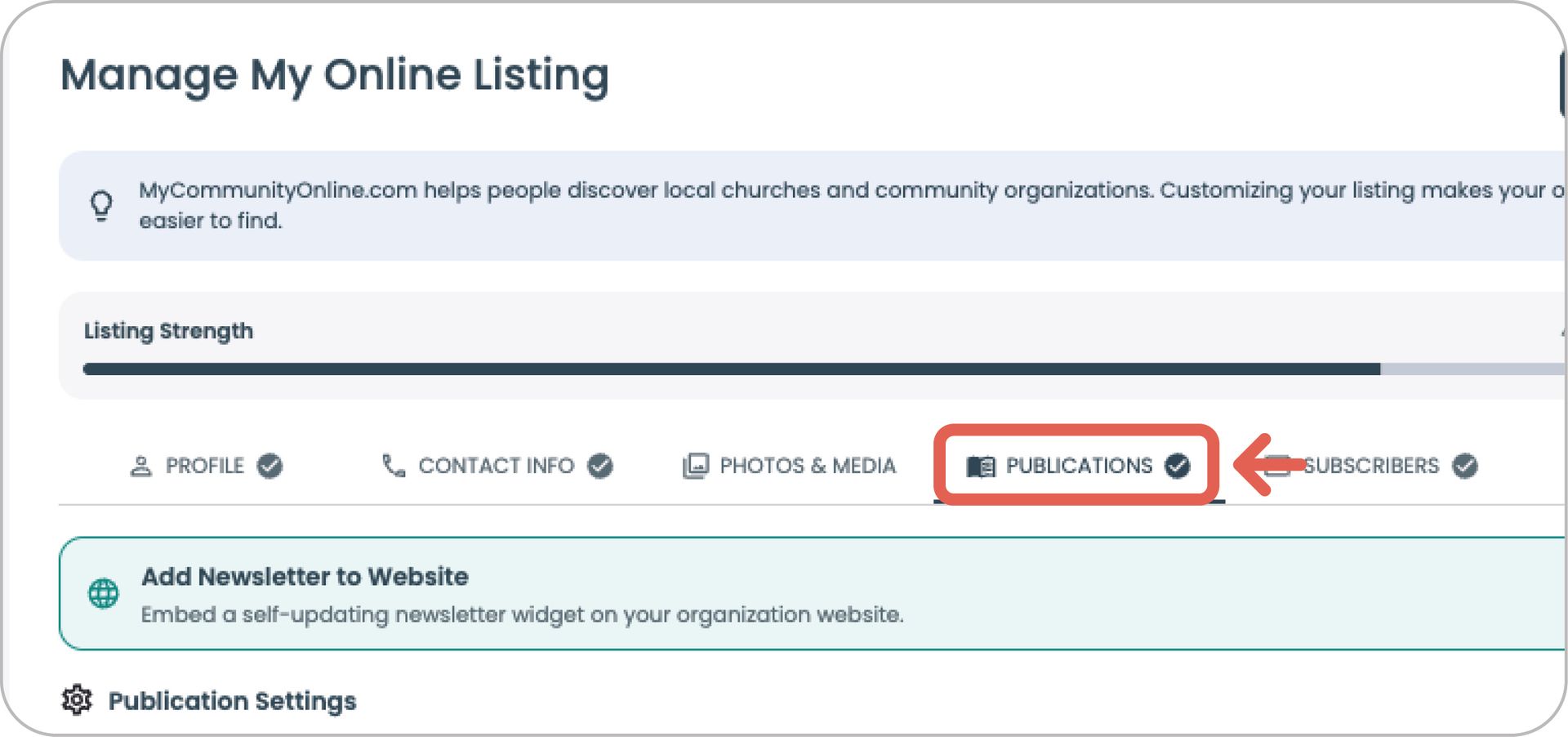
Click the Publications tab in the horizontal navigation.
3 & 4
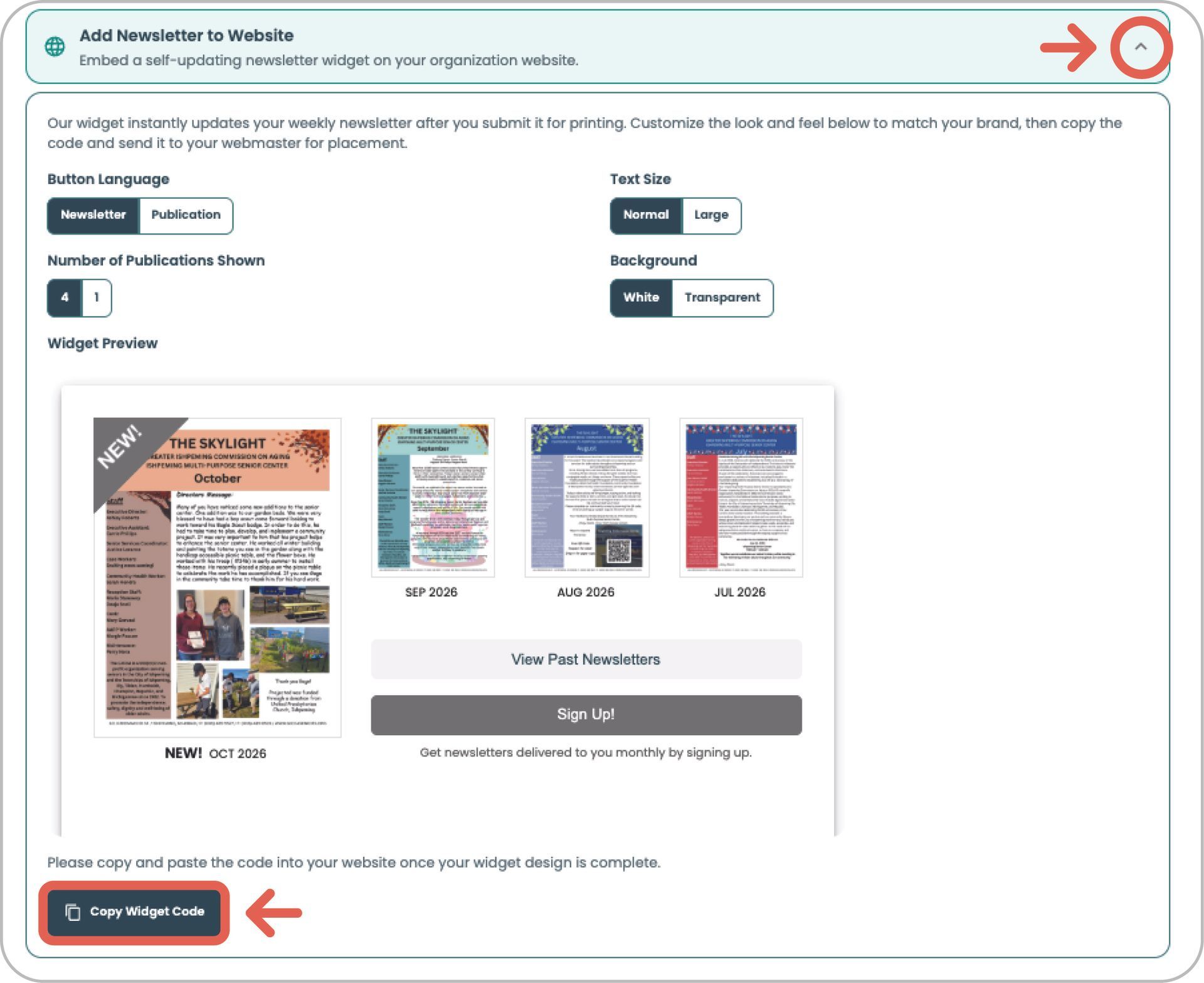
Then select the dropdown Add Bulletin to Website.
Click the button at the bottom
Copy Widget Code and send to your webmaster for placement.